
Kitcha: Recipe & Meal Planner
FireKampFood & Drink
4.748.00 Reviews
- Version
- 1.11.0
- Installs
- 10.00K
- Age Rating
- Everyone
Screenshots
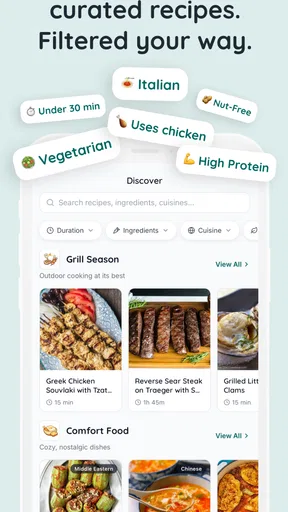
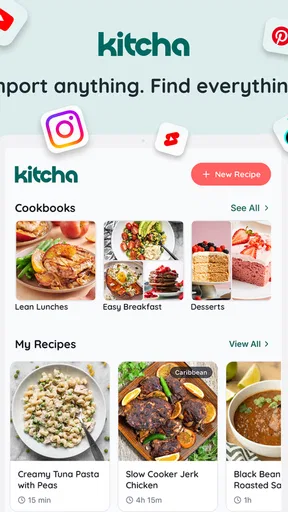
Our Review of Kitcha: Recipe & Meal Planner
 Analysis by Appyee
I have always liked the idea of keeping recipes, meal plans, shopping notes, and nutrition information in one place, but the usual approach quickly becomes messy. A recipe lives in a browser tab, ingredients are written in a notes app, and the grocery list is forgotten at home. Kitcha: Recipe & Meal Planner takes aim at that exact problem. It is a food and drink app from FireKamp that brings recipe saving, meal planning, grocery organization, and nutrition tracking into one cooking-focused workspace.
After spending time with it, I see Kitcha as more useful for people who want a repeatable food routine than for someone who only needs an occasional recipe. Its strongest idea is not any single tool. The appeal comes from connecting the steps between finding a recipe and actually cooking it. That makes it easier to turn online inspiration into something practical for the week.
How Kitcha fits into everyday cooking
The app is free to download, which makes trying the basic experience straightforward. It also includes optional in-app purchases ranging from $2.99 to $39.99 per item. That distinction matters: the free entry point lets you decide whether Kitcha suits your habits, while the paid side is something to judge only after seeing how often you use its planning and tracking workflow. I would not treat the presence of purchases as a reason to avoid it, but I would spend a few days testing the free experience before paying for anything.
Kitcha is rated for Everyone, and its current version is 1.11.0. It runs on Android 7.0 or newer, so it is not limited to recent phones. The app was released on February 25, 2026, and has already reached over 10 thousand installs, with a 4.7 average from around 850 ratings. Those figures suggest a positive early reception, although I would still base a decision on whether its workflow matches the way you plan meals.
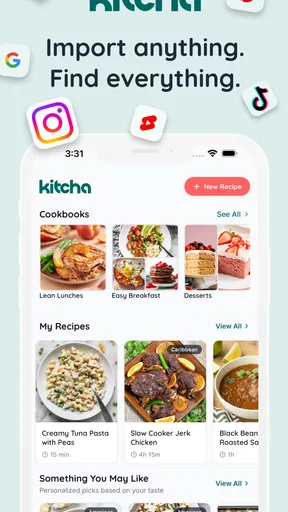
The first useful habit is saving recipes from different websites instead of leaving them scattered across the internet. In practice, I would use Kitcha when I find a promising dinner idea, save it immediately, and then return to it when planning the coming days. This is more reliable than bookmarking pages and hoping I remember why I saved them. The important change is that a recipe becomes part of a personal cooking collection rather than remaining an isolated web page.
That workflow is especially helpful for people who collect recipes impulsively. A large saved folder can become just as unhelpful as a pile of browser bookmarks, so the real benefit appears when saved recipes are connected to actual meals. I found it more sensible to save fewer recipes and place them into a realistic plan than to treat Kitcha as an endless archive.
Turning saved recipes into a workable week
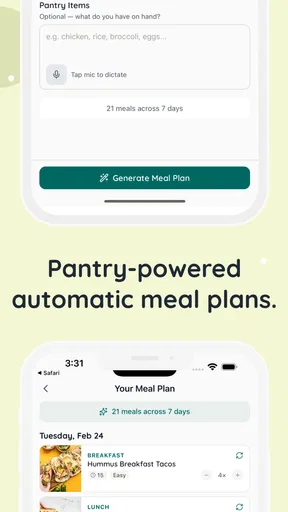
The meal planner is the part that gives the app its identity. Instead of deciding what to cook every afternoon, I can think in terms of the whole week. That small shift reduces the mental effort of answering the same question repeatedly. It also exposes problems early: a recipe may require too much time on a busy day, or several meals may depend on ingredients that are difficult to use before they spoil.
My practical tip is to plan around energy, not just preference. Put the more involved recipe on a day when you can actually cook, and keep a simpler option for the evening when work or family commitments are likely to interfere. Kitcha is most valuable when the planner reflects real life rather than an ambitious menu that looks good on Sunday and collapses by Wednesday.
A second useful approach is to use the planner to create variety without losing control. I would alternate familiar meals with one new recipe, rather than selecting several unfamiliar dishes at once. This keeps the grocery list manageable and gives the nutrition tracker more meaningful context. If every meal changes, the app may help organize the chaos, but it cannot remove the extra preparation that comes with constantly learning new recipes.
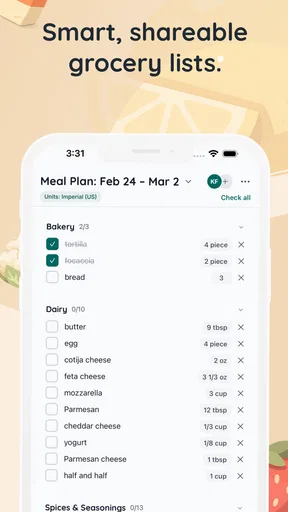
The grocery list is where planning becomes tangible. A recipe may look simple until its ingredients are written down, and a weekly view makes repeated items easier to notice. Before shopping, I would review the list rather than accepting it blindly. Pantry staples, ingredients already in the refrigerator, and products sold in larger quantities can all make an automatically assembled list less precise than a personally checked one.
That review step is not a weakness unique to Kitcha; it is simply the difference between organizing information and making household decisions. The app can bring ingredients together, but I still need to adjust quantities for the people eating, check what I already own, and remove items I do not need. The best workflow is to treat the grocery list as a draft that saves time, not as a substitute for judgment.
Nutrition tracking without losing the cooking context
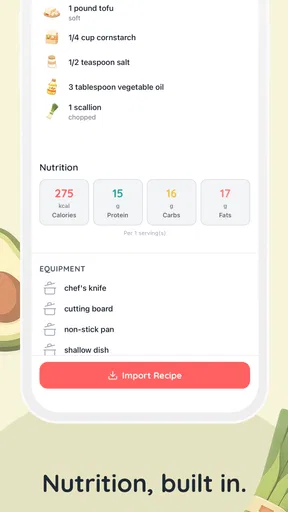
Nutrition tracking adds another layer to the same routine. Rather than using a separate food log disconnected from recipes, Kitcha lets the planning process remain tied to what I intend to cook. That is useful when I want an overview of my meals instead of entering every food choice as an unrelated record.
I would use this feature as a guide, not as a source of false precision. Home cooking changes easily: serving sizes vary, ingredients are substituted, and the amount of oil or sauce can differ from the original recipe. The tracker is therefore most helpful for spotting patterns and making better choices across a week. It is less suitable for anyone who needs highly exact nutritional accounting for medical or professionally supervised reasons.
One non-obvious advantage is that nutrition information can influence planning before the shopping trip. If several planned meals are heavy in the same area, I can change one recipe while the week is still flexible. That is more useful than discovering the imbalance after all the meals have already been cooked. It turns tracking into a planning tool rather than a record of decisions that cannot be changed.
There is also a trade-off here. The more carefully I want to track a meal, the more attention I need to give substitutions and portions. Someone who cooks from recipes exactly as written may find the process easier. Someone who improvises constantly may appreciate the broad overview but should not expect every number to represent the finished plate with laboratory-level accuracy.
Where the free access makes sense
Because Kitcha is free to start, its value can be judged through use rather than promises. If I only save a recipe once every few weeks, a browser bookmark or a simple notes file may be enough. Paying for a dedicated food-planning app would not make much sense for that pattern. The free access is more compelling for people who cook several times a week and want their recipes, plans, lists, and nutrition notes to support one another.
The optional purchase range is broad, so I would be careful about assuming that every useful capability belongs to the same paid package. The sensible approach is to use the free version first, identify the specific part of the workflow that saves time, and then decide whether a purchase is justified by regular use. I would not pay simply because the app has a polished concept; I would pay only if it replaces enough scattered effort to matter in my routine.
This also makes Kitcha different from a traditional recipe website. A website is often better when I want to browse, read cooking advice, or discover a dish casually. Kitcha is better when I have already decided that a recipe belongs in my own rotation. A notes app may be faster for one-off lists, while a spreadsheet may offer more control to someone who enjoys building their own system. Kitcha sits between those options by offering structure without requiring me to design the structure myself.
A realistic week with Kitcha
Imagine a busy household on Sunday evening. I save two recipes found online, choose one familiar meal, and reserve one night for leftovers or something quick. From there, I review the ingredients and remove the items already in the pantry. During the grocery trip, the list is more useful because it reflects a plan rather than a collection of disconnected recipe ingredients.
On Tuesday, an unexpectedly late finish at work means the planned recipe is no longer realistic. The value of a meal planner is not that the original schedule survives perfectly; it is that moving meals around is easier than starting from nothing. I can shift the more demanding dish to another day and use the simpler option instead. That is the kind of small recovery that makes planning worthwhile in real life.
At the end of the week, the nutrition tracker can help me review the overall pattern. I might notice that I planned balanced dinners but relied on unplanned snacks or skipped meals during busy afternoons. Kitcha cannot solve that behavior automatically, but it gives the planned meals and the tracking side a common place to examine what happened. The insight comes from using the app consistently, not from opening it once and expecting an instant transformation.
Friction points worth considering
The first limitation is that organization can become another chore. Saving every recipe, maintaining a plan, checking the grocery list, and recording nutrition details takes time. If I enjoy spontaneous cooking and rarely repeat meals, Kitcha may feel like more administration than help. Its planning tools reward consistency, so the app is not automatically a good fit for every kind of cook.
The second limitation is the gap between recipe instructions and household reality. Websites use different formats, ingredient names, and serving assumptions. A saved recipe may still need a careful read before I shop or cook. I would not assume that importing a recipe eliminates the need to check quantities, preparation steps, or substitutions.
The third is the cost decision. Free access makes experimentation low-risk, but optional purchases mean the full value depends on what is included in the part of the app I want to use. Since the purchase amounts vary, I would look at the exact option presented inside the app and compare it with how frequently I plan to use Kitcha. A person who wants only a simple grocery list may find a free notes app better value; a person who uses the whole planning cycle may see more reason to upgrade.
Another trade-off concerns control. Kitcha offers a ready-made workflow, which is convenient, but it may not satisfy someone who wants to customize every category, calculation, or household rule. A spreadsheet can be awkward but extremely flexible. Kitcha is the better choice when reducing setup matters more than building a completely personal system.
Who will get the most from it
I would recommend Kitcha to people who repeatedly find recipes online and then struggle to turn them into meals. It is also a strong candidate for anyone trying to reduce last-minute food decisions, shop with more intention, or connect meal planning to a basic nutrition routine. Families and couples may benefit when several meals need to be considered together, although the usefulness still depends on everyone agreeing to follow the plan.
It can also suit a beginner who wants more structure without learning a complicated spreadsheet. The combination of saved recipes, scheduled meals, a grocery list, and nutrition tracking creates a clear path from discovery to cooking. My advice would be to begin with a small plan rather than importing an entire recipe history. A manageable collection makes it easier to see whether the app genuinely improves the week.
I would skip it if I rarely cook, prefer choosing meals spontaneously, or already have a system that works without friction. I would also look elsewhere if exact nutrition logging is the main requirement, if I need extensive customization, or if I want a social recipe community rather than a personal organizer. Kitcha is not trying to replace every food-related tool; its strength is the connection between recipes and practical planning.
My verdict on paying or skipping
My overall view is positive, with a clear condition: Kitcha earns its place when I use the complete workflow. Saving recipes alone is not enough to justify a dedicated app, because bookmarks and notes can handle that basic task. The stronger value appears when saved recipes feed a meal schedule, the schedule shapes a grocery list, and nutrition tracking helps me adjust future choices.
The free starting point makes the decision easy. I would install it, save a handful of recipes, plan several realistic meals, and see whether shopping becomes less scattered. I would then consider an optional purchase only if the app consistently saves me time or helps me follow a routine I otherwise abandon. That is a better test than judging the price in isolation.
In the end, Kitcha: Recipe & Meal Planner is a focused food and drink app from FireKamp with a practical idea behind it. It does not remove the work of cooking, checking ingredients, or making sensible nutrition decisions. What it can do is place those decisions in a sequence that is easier to follow. If your problem is not finding recipes but turning them into an organized week, Kitcha is worth trying before you decide whether its paid options add enough value.
Verdict
Strengths of Kitcha: Recipe & Meal Planner
- Personalized meal planning helps organize weekly cooking.
- Recipe suggestions can simplify deciding what to prepare.
- Useful grocery-list features may reduce forgotten ingredients.
- Suitable for users seeking more structured home cooking.
- Recipe-based planning can help limit last-minute takeout orders.
Limitations of Kitcha: Recipe & Meal Planner
- Some recipes or planning tools may require a paid subscription.
- Meal suggestions may not suit every dietary restriction or preference.
- The recipe catalog may feel limited for experienced home cooks.
- Accurate grocery lists depend on following recipes and serving sizes.
- Requires regular input to keep plans and ingredient lists useful.
Similar Picks in This Category
View All
Rappi: Food Delivery, Grocery
Rappi, Inc - Delivery3.5

McDonald’s: Cupons e Delivery
Arcos Dorados4.3

Swiggy: Food Instamart Dineout
Swiggy4.7

Blinkit: Groceries & more
Blinkit4.8

foodpanda: food & groceries
Foodpanda GmbH a subsidiary of Delivery Hero SE4.0

Zomato: Food Delivery & Dining
Zomato4.7
Frequently Asked Questions
What is Kitcha: Recipe & Meal Planner, and what can I use it for?
Kitcha: Recipe & Meal Planner is designed to help you organize everyday cooking from one place. You can explore recipe ideas, plan meals for upcoming days, and structure your food routine instead of deciding what to cook at the last minute. It may be useful for busy households, beginners, and anyone who wants a more organized approach to preparing meals and managing recipe inspiration.
Does Kitcha create personalized meal plans based on my preferences?
Kitcha can be used to build a meal plan around your own cooking preferences, schedule, and selected recipes. The usefulness of its recommendations depends on the information and options available in the version you install, so users should check the app’s current features before downloading. It is best viewed as a planning aid rather than a replacement for professional dietary or medical advice.
Can I use Kitcha to create a shopping list from my planned recipes?
Meal planning is most helpful when it connects directly with grocery preparation, and Kitcha may help you organize the ingredients needed for selected recipes and planned meals. However, the exact shopping-list tools can vary by app version, region, or subscription level. Before relying on it for a large grocery trip, review how ingredients are combined, edited, and marked as purchased.
Is Kitcha: Recipe & Meal Planner suitable for special diets or allergies?
Kitcha may be helpful for discovering and organizing meals that fit a particular eating style, but users with allergies, intolerances, medical conditions, or strict dietary requirements should carefully verify every ingredient and preparation method. Recipe filters are not a guarantee that food is safe, and ingredient substitutions can change nutritional or allergen information. Always consult a qualified professional when dietary safety is important.
Is Kitcha free to download, and are there in-app purchases?
Kitcha’s availability, pricing, and included features may depend on the platform and the current version listed in the Google Play Store or Apple App Store. Some recipe, planning, personalization, or convenience tools may require a subscription or in-app purchase. Check the store listing and subscription screen before confirming a payment, and review renewal terms if a free trial or recurring plan is offered.
